
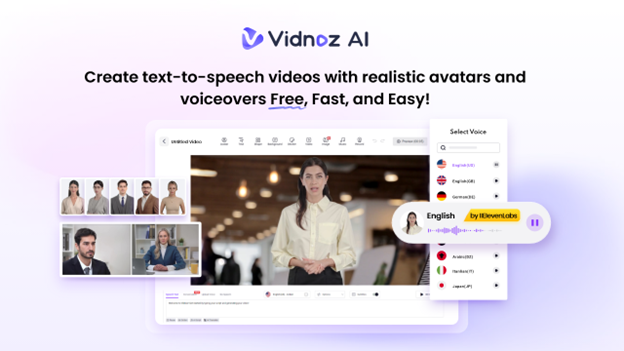
The corporate learning landscape is undergoing a significant transformation, driven by advances in artificial intelligence and its application in training content generation. As organizations seek faster, more engaging, and cost-effective ways to train their teams, Vidnoz AI is emerging as a game-changer. By automating video creation, Vidnoz AI cut training development time by up to 70%. In this guide, we’ll provide a comprehensive overview of Vidnoz AI and explore how it’s reshaping how organizations create training content. Whether you’re an HR professional, educator, or business owner, this guide will help you understand why this tool is becoming an essential tool in modern learning and development.
Part 1: What is Vidnoz AI?
When it comes to AI video creation, Vidnoz AI is the first tool that comes to mind for most users. This is a web-based AI Video Generator that allows users to produce high-quality videos with a simple text prompt. Offering over 1700 lifelike avatars, 2800 pre-designed video templates, and an extensive selection of 1830+ realistic AI voices across multiple languages, Vidnoz AI reduces training development time up to 70%. This powerful combination allows companies to create engaging training modules, onboarding videos, product demos, and internal communication at scale — without complex editing skills. The standout feature of this tool is that it is certified with ISO/IEC 27001:2022 for Information Security Management, ensuring that your sensitive data remains fully protected and secure.
Part 2: Vidnoz AI Features Revolutionizing Corporate Training
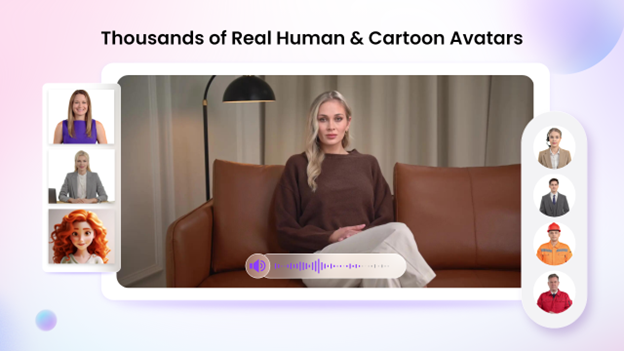
Vidnoz AI’s amazing features and capabilities enable organizations to produce professional training content faster and more efficiently. Here are the top features of this program:
- Customizable Templates: Vidnoz AI offers 2800+ personalized video templates, allowing users to create different types of videos, including tutorials, product demos, training content, and more. Users can also use custom templates to accelerate the brand video creation, cultivating a distinctive brand image.
- Lip Sync AI Voices: The program includes 1830+ AI voices in 140+ languages, each with unique accents and characteristics. All voices available on this platform are powered by ElevenLabs, Google, and Microsoft. Additionally, the program provides options to select from a diverse range of voice styles, sentiments, and emotions to perfectly match their video’s intended tone and style.
- Lifelike Avatars: With this tool, users get over 1700+ realistic avatars from different industries and roles, including doctors, hosts, customer supporters, teachers, students, chiefs, and more. Plus, users can do quick creations using Avatar Lite, and Avatar Pro offers advanced options for deeper customization, such as a flexible background.
- Avatar Lite: No editing skill required? Yes, with Vidnoz AI, users can generate high-quality videos with a simple text prompt or any source material. Simply enter your text, select a template, choose an AI voice and avatar, and click the “Generate” button.
- Free Version: The best part about Vidnoz AI is that it includes a free version. The free version allows users to create a 2-minute video for free daily and includes advanced features such as Avatar Lite, Avatar Pro, AI Voice Changer, AI Headshot Generator, and more.
Part 3: Advantages of Using Vidnoz AI in Corporate Training
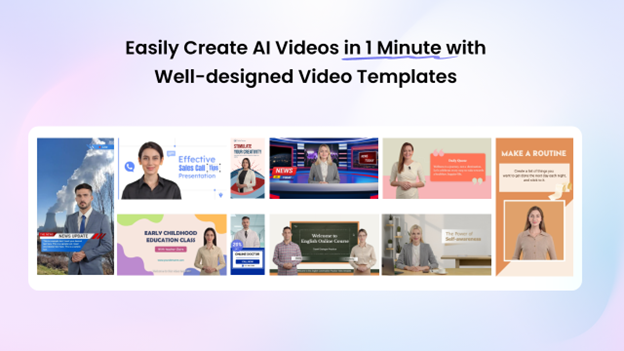
Vidnoz AI is transforming the way organizations approach training by making content creation faster, more engaging, and cost-effective. Here are the top advantages of using Vidnoz AI in corporate training:
- Vidnoz AI reduces training development time by up to 70%, enabling faster rollout of learning programs.
- ISO/IEC 27001:2022 certification ensures that your sensitive training materials remain secure and protected.
- Offers a simple and intuitive interface, allowing organizations to create high-quality training videos without hiring a professional editor.
- Eliminates the need for cameras, actors, and an extensive editing tool, making the video creation cost-effective.
- Supports 140+ languages, including English, Chinese, French, Spanish, German, Turkish, and more.
Part 4: How to Create Training Videos With Vidnoz AI?
Follow the instructions below to create high-quality training videos with Vidnoz AI. The program is a web-based tool, meaning you can directly access it via a web browser:
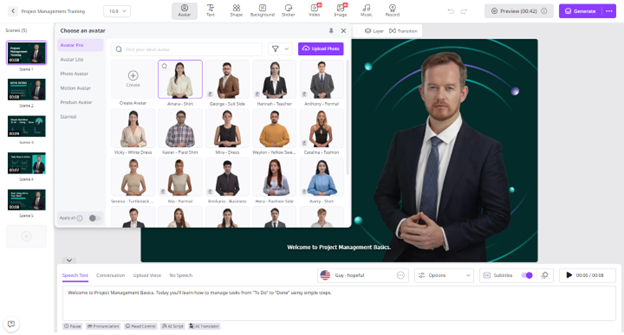
- Open your web browser and navigate to the Vidnoz AI official site. Click on the “Create Free Video Now” button to begin the process. Choose video templates and an AI avatar.
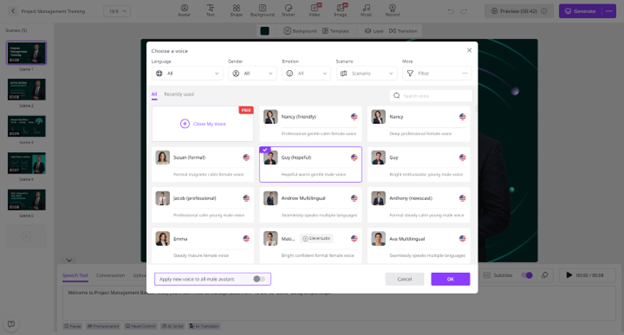
- Input your text and select an AI voice. Users can also select the language and style of their AI voice.
- Next, use the AI Video Editor to customize it according to your needs. It allows users to change the background, add music, and insert text.
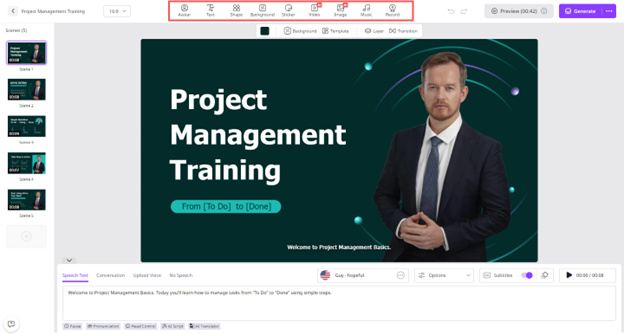
- Once all the requirements are complete, click on the “Generate” button. Within a few seconds, your video will be ready. Preview and download it in a popular format, such as MP4.
Final Thoughts
Vidnoz AI is transforming corporate training by reducing development time, lowering costs, and increasing engagement. Its AI-powered avatars, voices, and templates enable organizations to create scalable, high-quality training content effortlessly.
